
Surveys are available to Silver plans and above.
Survey Friends Actions are native to OutreachCircle and allow supporters to send short, one question surveys with customizable answer options to their contacts by email or text.
Setting Up a Survey Friends Action
Follow the instructions in the Actions Overview to start setting up the action.
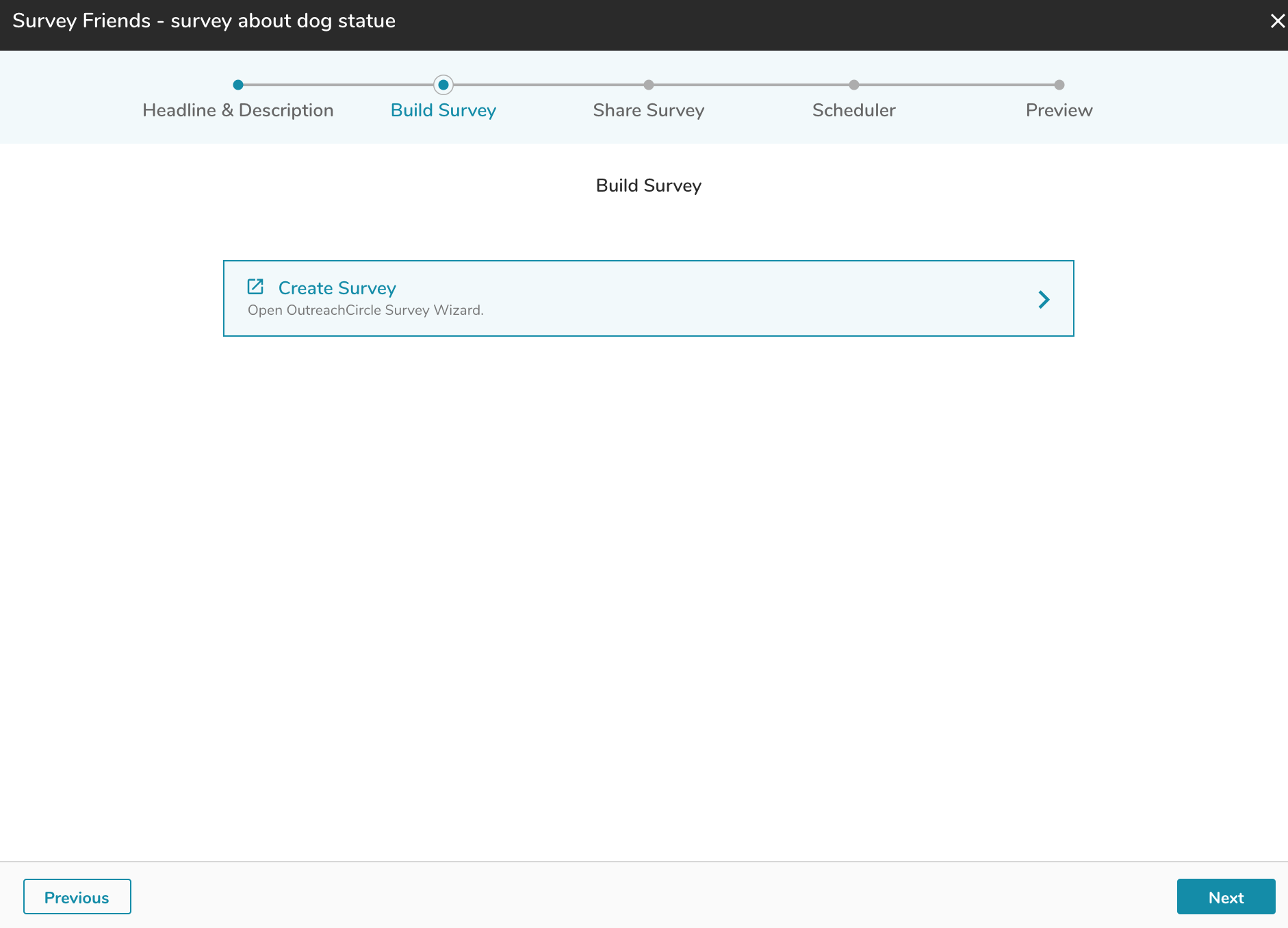
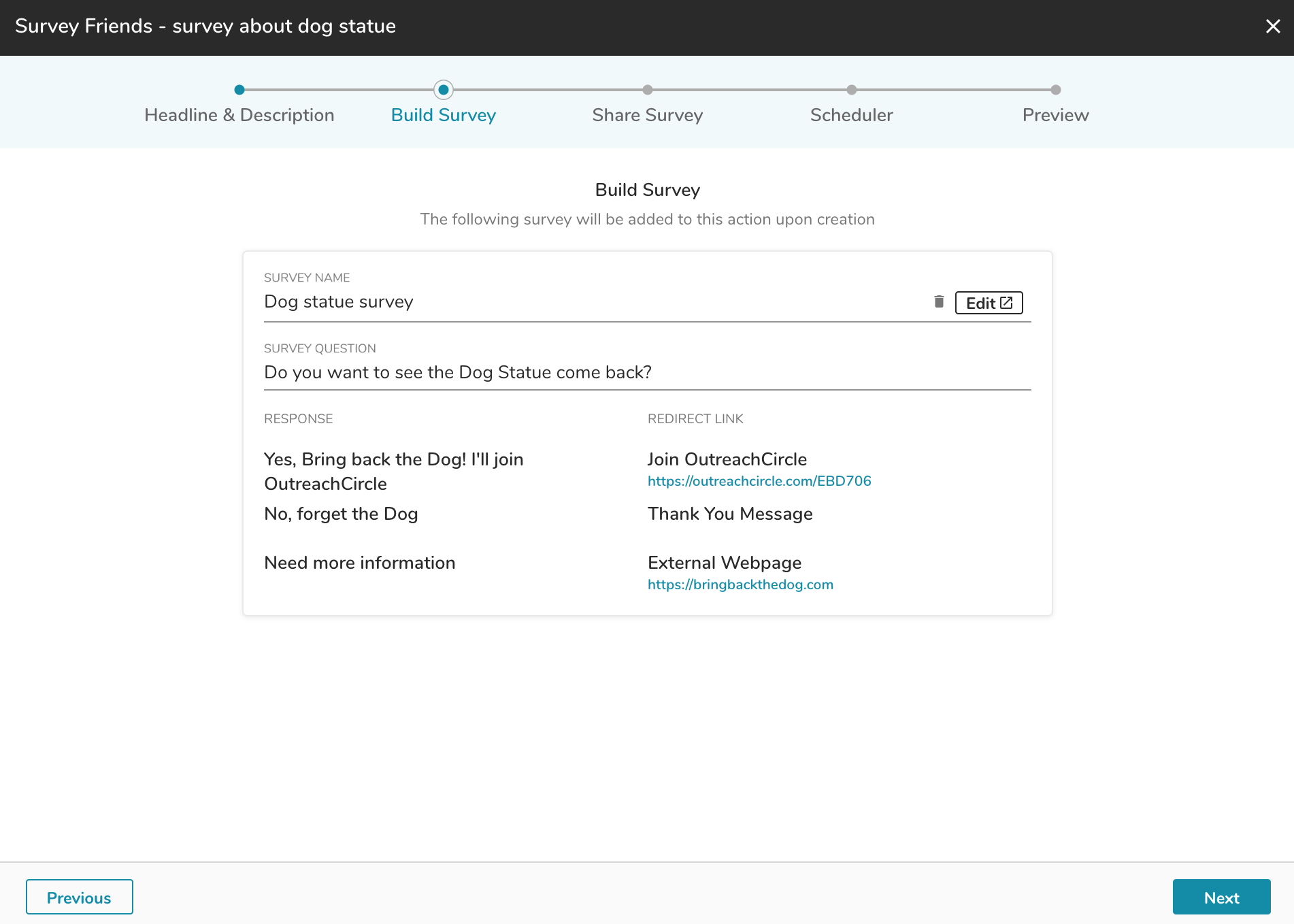
Click on "Create Survey."
The "Select or Create Survey" box will open. You can choose to make a survey or use a VAN survey.
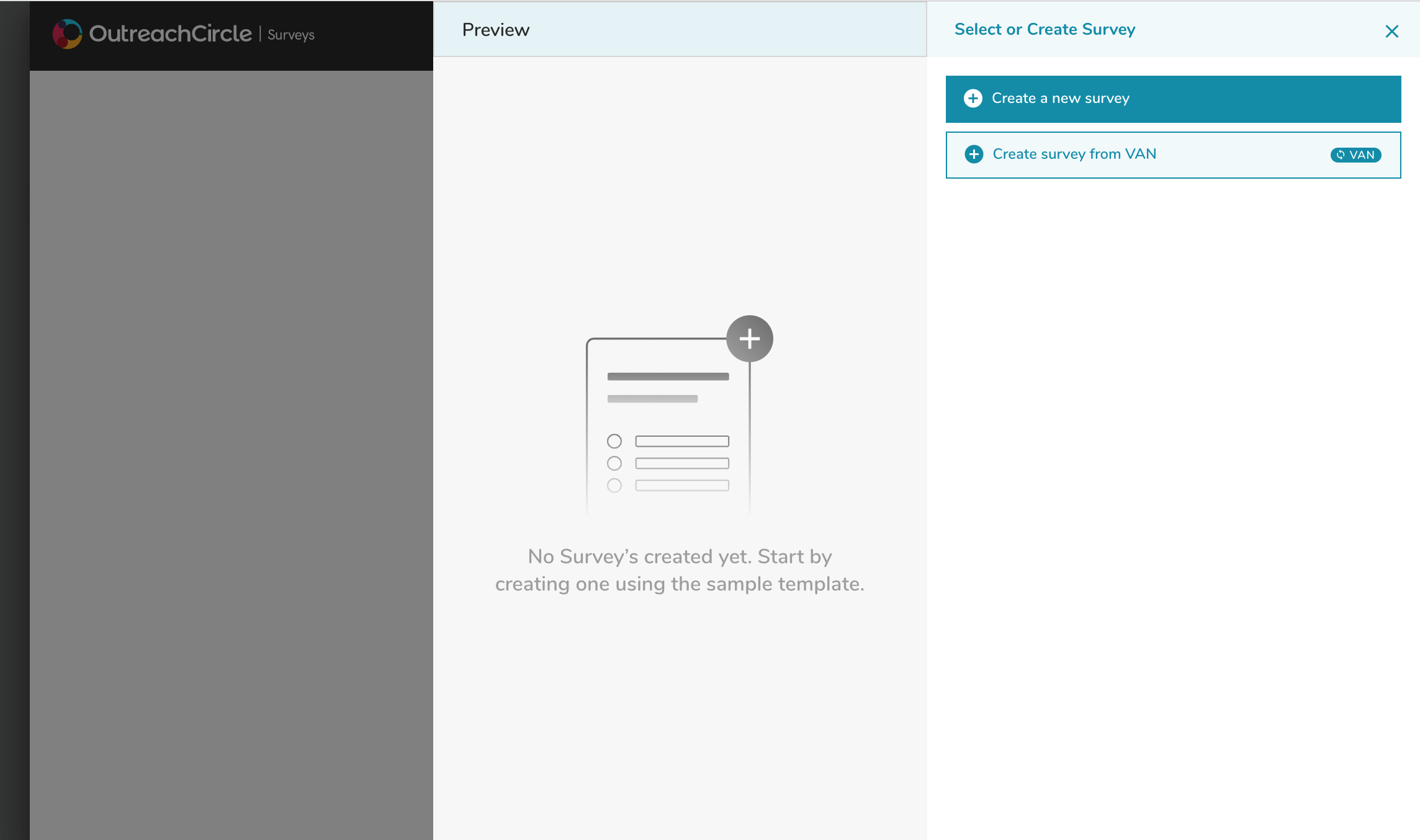
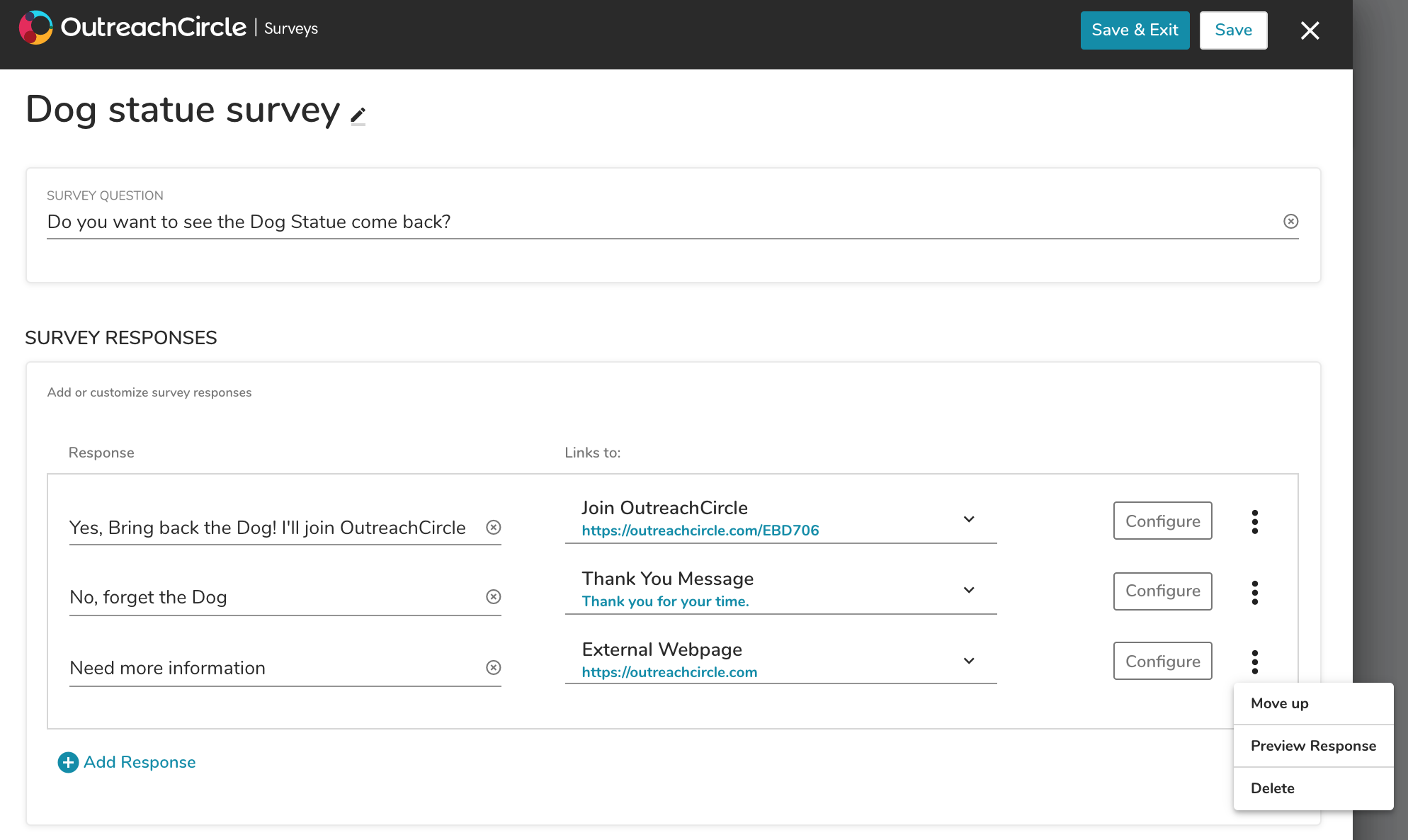
"Create a new survey" opens the survey builder. Choose responses and the appropriate types of links.
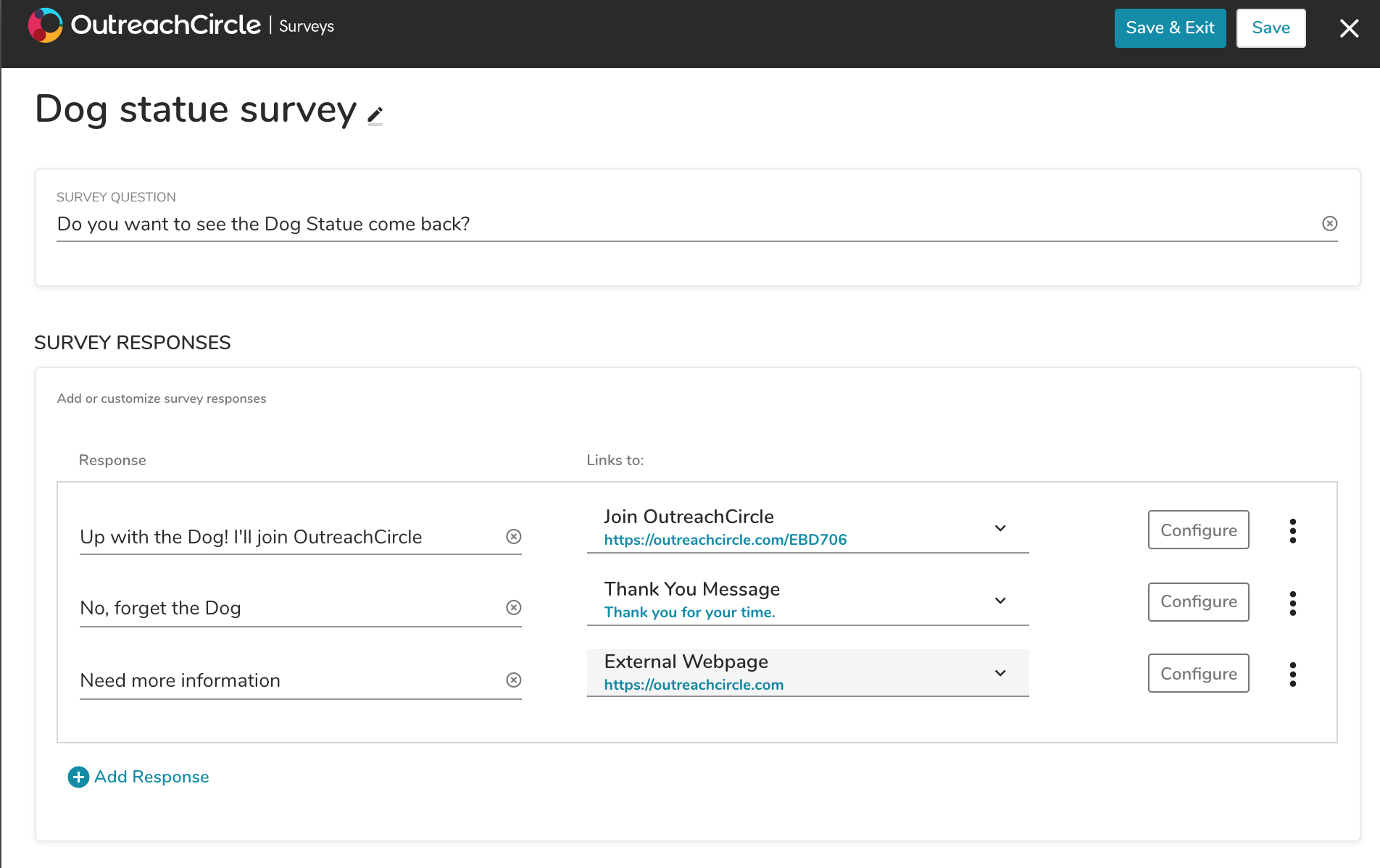
There are three types of responses. Choose the appropriate type and customize it:
- Join OutreachCircle - links to your specific Supporter side OutreachCircle
- External Webpage - add a link to any webpage
- Thank you Message - no link, just a customizable thank you message
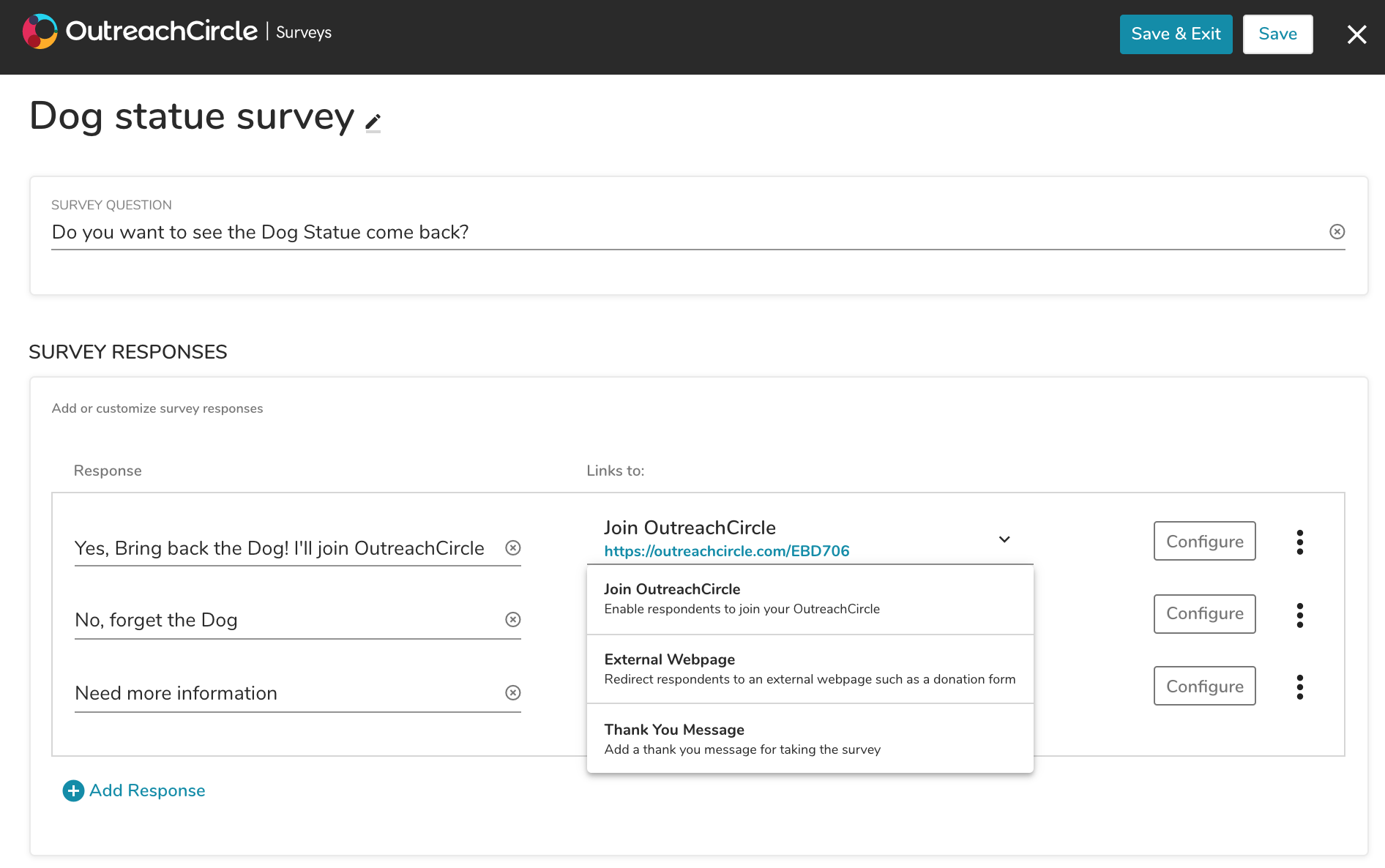
Responses can also be moved, deleted and previewed. When the survey is done, click "Save & Exit."
When you are finished customizing your survey, click "Next" (don't worry, you can always edit it later).
"Create Survey from VAN" searches your VAN integration for any surveys you have saved to your folder shared with OutreachCircle.
Follow the instructions for Email, Text, or Share with Friends Actions to set up the rest of the action. You can choose to let your supporters share the survey over email, text, or both. When you create your email and/or text message templates, the survey (for email) or link to the survey (for text) will be automatically pre-loaded (don't delete it).
When the action is ready, go back to the Actions Overview and follow the instructions to activate your action.
Comments
0 comments
Please sign in to leave a comment.